Chrome extension • Free + Pro • Facebook data stays local
= hweihwang
All projects Chrome Web Store

Chrome extension · v0.5.1

Bulk Group Leaver & Facebook Cleanup

Clean up Facebook groups, liked pages, follows, friends, and sent requests from one popup. Review the list first, run when you’re ready — data stays in Chrome on your machine.

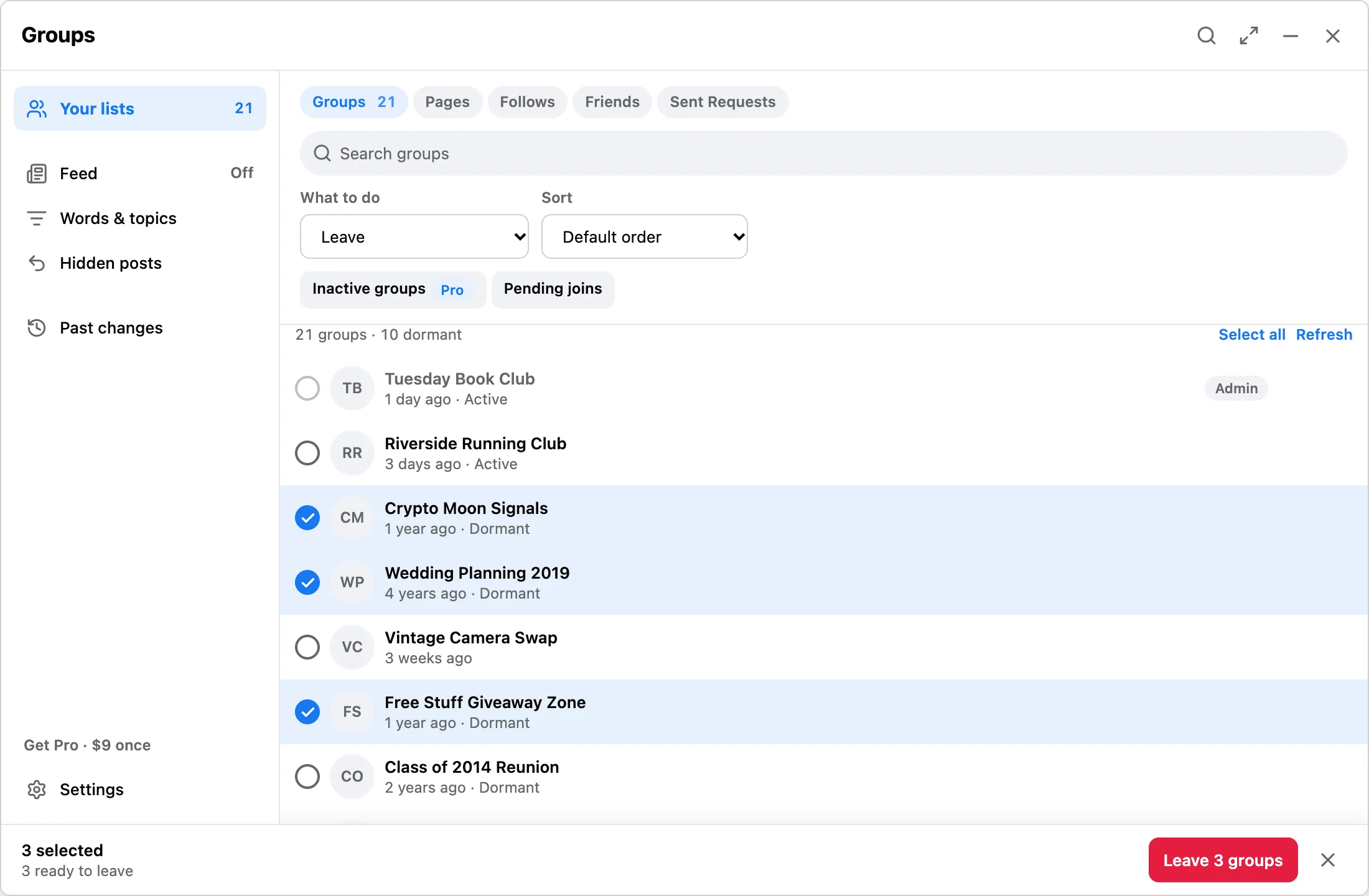
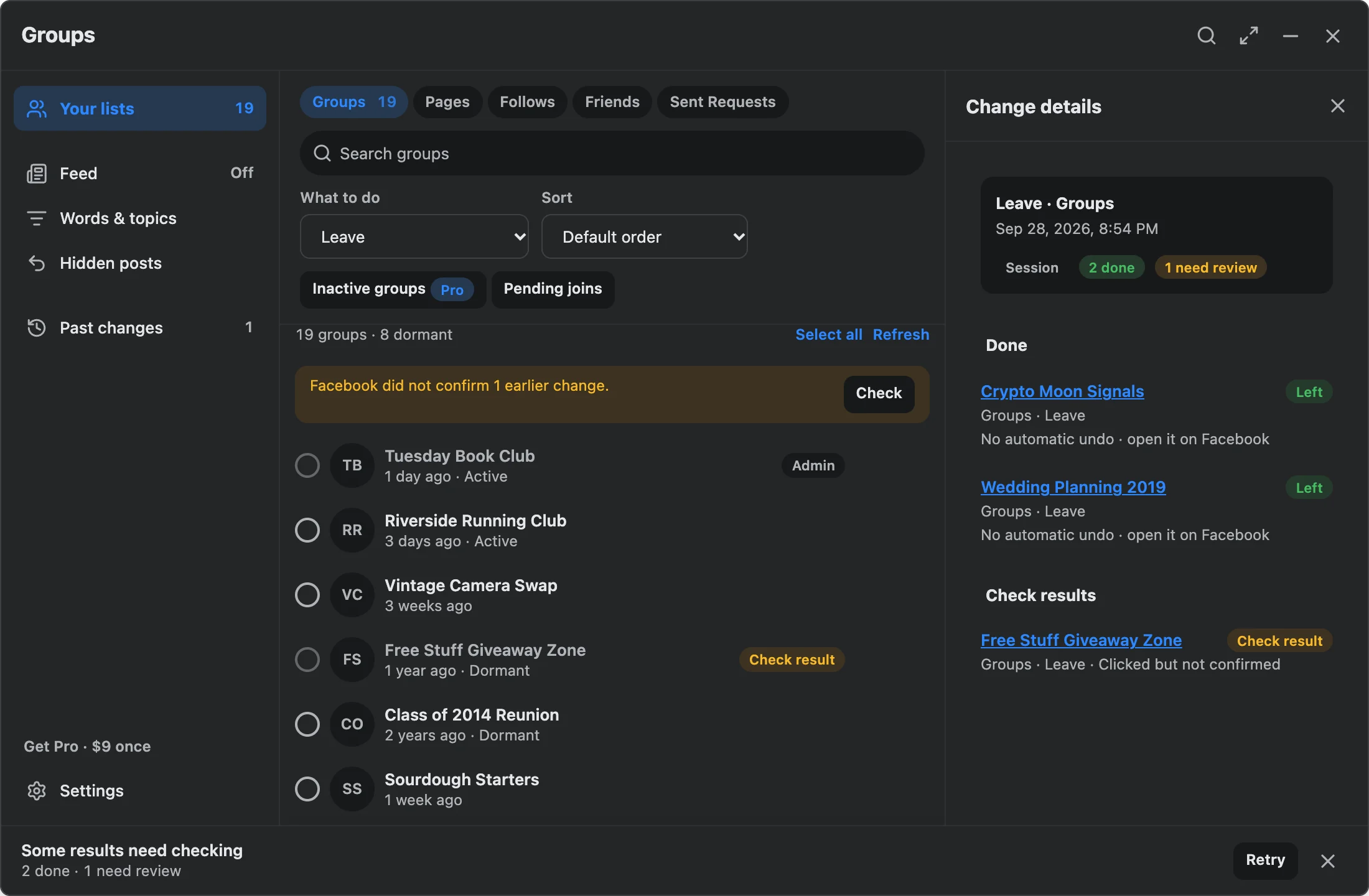
Cleanup workbench listing groups, pages, follows, friends, and sent requests

01 / Overview

What it does

Open the Facebook page you want to clean (groups, pages you’ve liked, follows, friends, or sent requests), scan what’s on screen, pick items in the popup, then start the run. You can pause, resume, or stop anytime.

Free: up to 3 ready items per run. Pro ($9 one-time): larger runs, deep scan, activity sort, and Pro filters. Not affiliated with Meta.

  • Local data.Lists, settings, and run history live in chrome.storage.local — not on our servers.
  • No Facebook password.The extension works from Facebook pages already open in your desktop Chrome session.
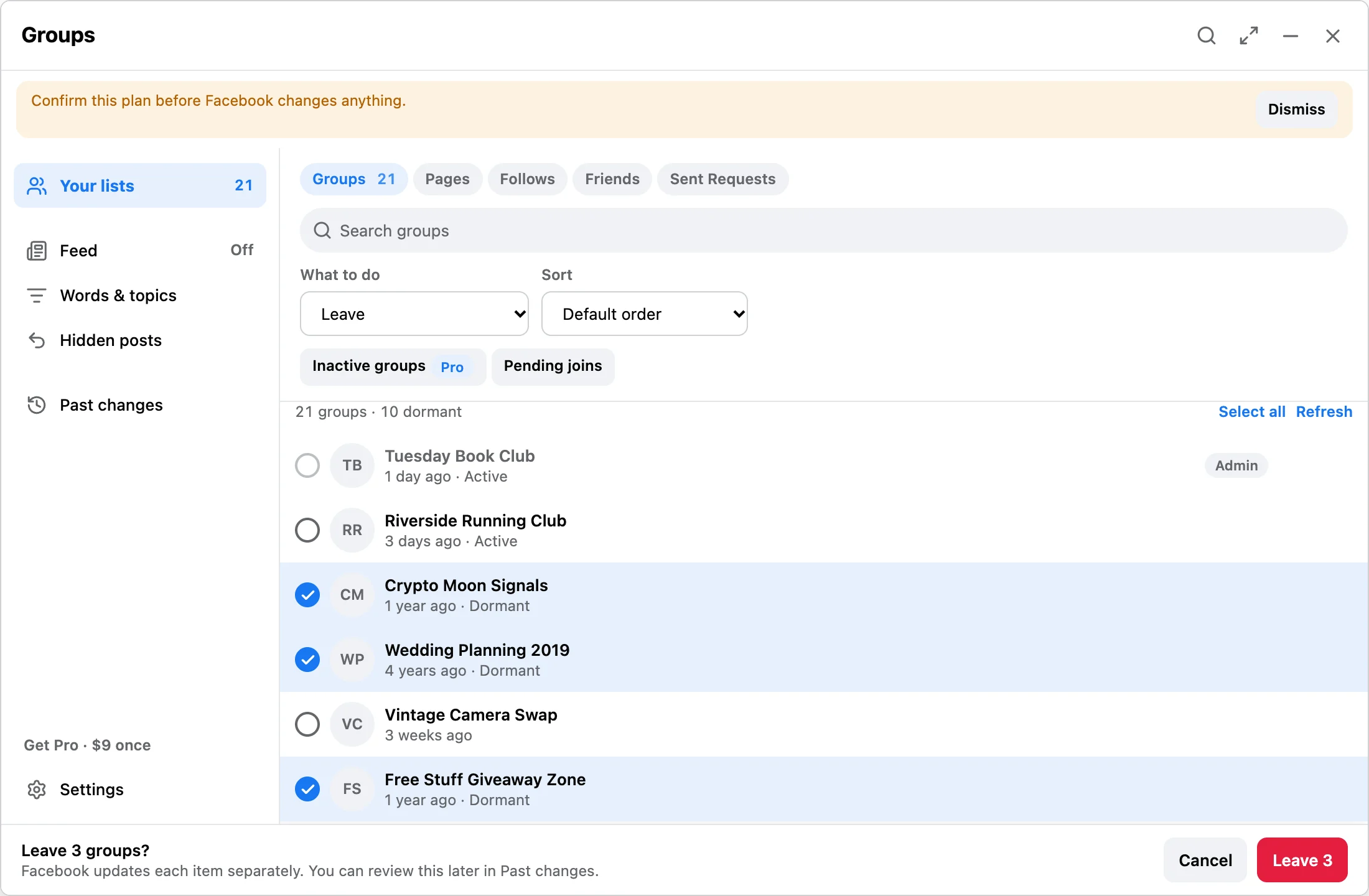
  • Review first.Nothing leaves until you confirm the queue.
  • Protected groups.Admin and protected groups are skipped by default.

02 / Screenshots

The UI

Full-size captures from the current build — scroll the page or jump to a screen.

Cleanup workbench with tabs for groups, pages, follows, friends, and sent requests
01

Cleanup workbench

Switch surface (groups, pages, follows, friends, sent requests), search, select, then start when the queue looks right.

Cleanup recipes for common Facebook cleanup jobs
02

Cleanup recipes

Shortcuts for recurring jobs instead of rebuilding the same selection every time.

Pro deep scan, activity sort, and filter controls
03

Pro filters

Deep scan, sort by activity, and filters that only apply with a Pro license.

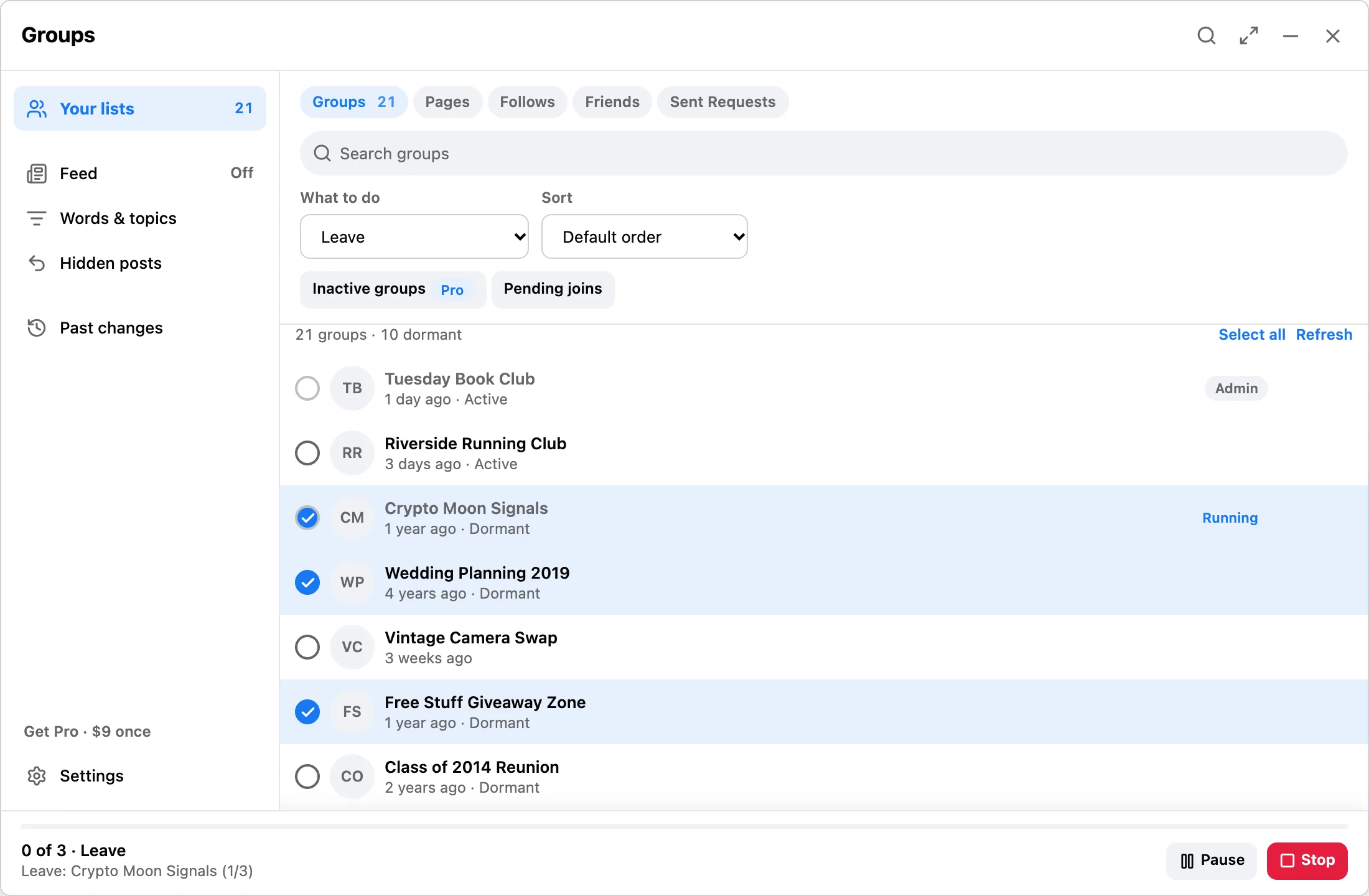
Run in progress with pause, resume, and stop controls
04

Run controls

Progress in the Facebook tab and in the popup — pause, resume, or stop without guessing what’s happening.

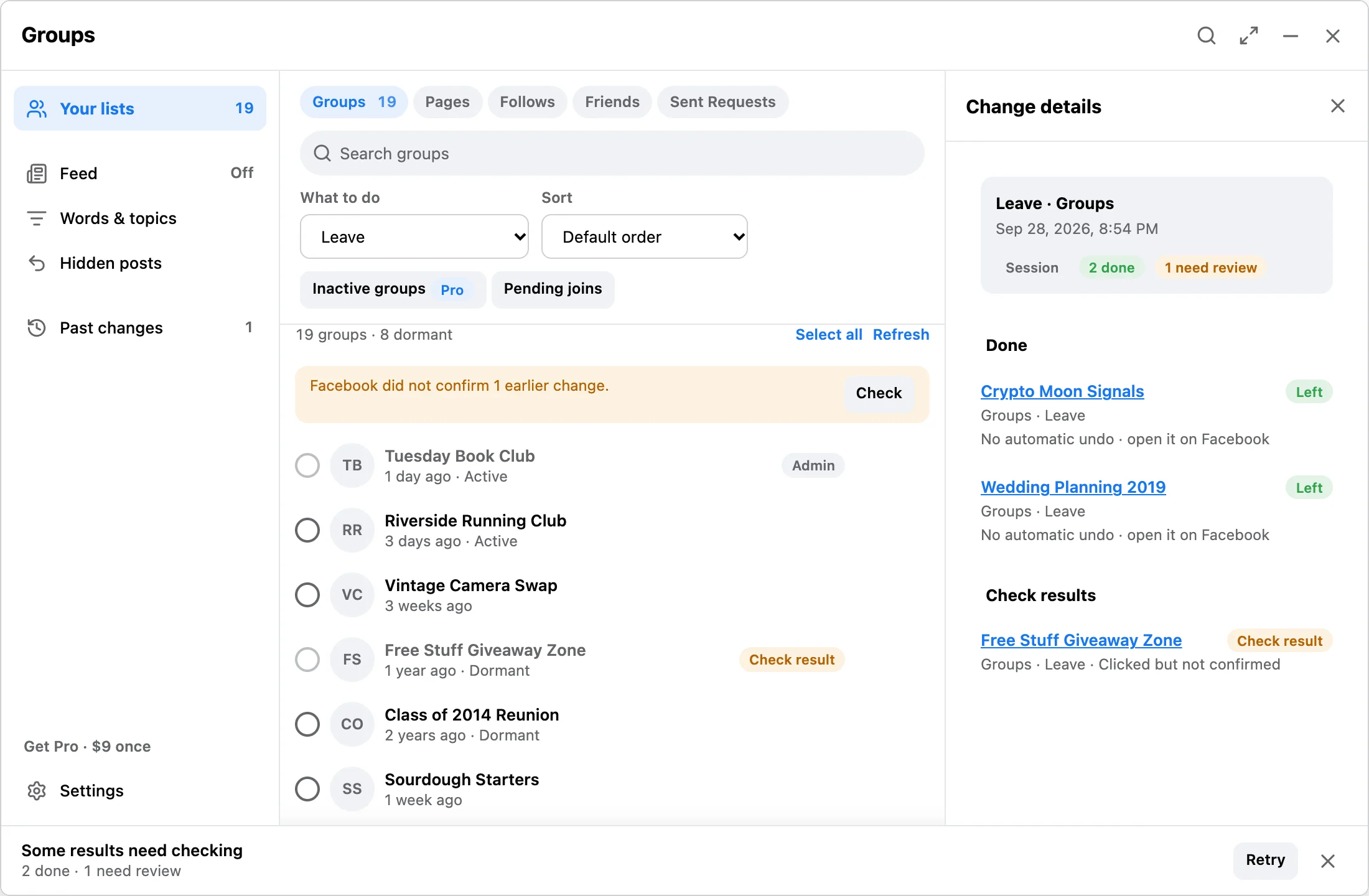
Session receipt showing done, skipped, and failed counts
05

Receipt

Done, skipped, and failed counts after the run. Saved locally so you can check later.

Pro license screen and Gumroad one-time purchase
06

Pro license

$9 one-time via Gumroad. Enter the key in the extension — no subscription.

03 / Workflow

How each run works

The extension keeps the run visible from start to finish.

Step 01

Scan a list

Open Facebook Groups, liked Pages, Follows, Friends, or Sent Requests and scan. Free runs process up to 3 ready items; Pro unlocks larger runs, deep scan, activity sort, and Pro filters.

Step 02

Review the queue

Filter by name, choose exactly what to clean up, and keep full control before pressing start.

Step 03

Run with controls

Use start, pause, resume, and stop actions from the popup or in-tab panel while progress updates in real time.

04 / Details

Inside the extension

Queue review, settings, and history are separate focused surfaces.

Cleanup workspace

  • Search and select groups, pages, follows, friends, and sent requests quickly.
  • Session badge shows readiness and limits.
  • Pro adds activity-aware filtering and sorting.

Plan and license controls

  • Clear free vs Pro comparison.
  • One-time $9 activation flow for lifetime unlock.
  • No recurring subscription logic.

Run audit trail

  • Review recent cleanup sessions.
  • See left, skipped, and failed outcomes.
  • Clear history directly from the extension.

Local-first Facebook data

  • Facebook list data, settings, and session history are saved in chrome.storage.local.
  • Runs only in the active Facebook tab, with progress visible and stoppable.
  • Pro key verification calls Gumroad and the activation service only for payment/license status.

05 / Plans

Free vs Pro

Free

$0

  • Scan and review all surfaces
  • Up to 3 items per run
  • Pause, resume, stop
  • Local history
Pro

$9 once

  • Larger batches per run
  • Deep scan
  • Activity sort + Pro filters
  • Buy on Gumroad

Questions: [email protected]

06 / Use cases

Task cleanup pages

Focused workflows for the exact Facebook cleanup jobs people search for.

07 / Guides

Cleanup guides

Longer guides for groups and broader Facebook cleanup.

Cleanup

Facebook cleanup best practices

Manual cleanup vs scripts vs review-first extension workflows for groups, pages, follows, friends, and sent requests.

08 / Trust

Privacy and alternatives

Sourceable pages for safety, AI answers, and buyer comparisons.

Privacy

Privacy and safety

No Facebook password, local Chrome storage, visible controls, and current data-flow facts.

Compare

Koptan alternative

A factual comparison with Koptan's broader Facebook manager listing.

Compare

ESuit alternative

A factual comparison with ESuit's wider Facebook and Instagram toolkit.

Pricing

Pricing

Free plan, one-time $9 Pro license, and current unlock facts.

Version

Changelog

Current 0.5.1 facts for cleanup surfaces, free limits, and Pro.

Try the free build first.

Install from the Web Store, run up to 3 ready items free, then buy Pro only if you need larger runs, deep scan, activity sort, or Pro filters.

Questions: [email protected]