
No post or comment deletion
It does not delete posts, comments, photos, videos, reactions, tags, or activity-log entries.
Scope and limits
Facebook Reset & Feed Control hides Facebook ads and selected feed content locally, cleans up the Home page interface, and supports five review-first relationship cleanup jobs. It is not a post deleter, activity-log scrubber, message cleaner, group-member remover, full Facebook-data exporter, engagement analytics suite, or growth automation tool.
Supported
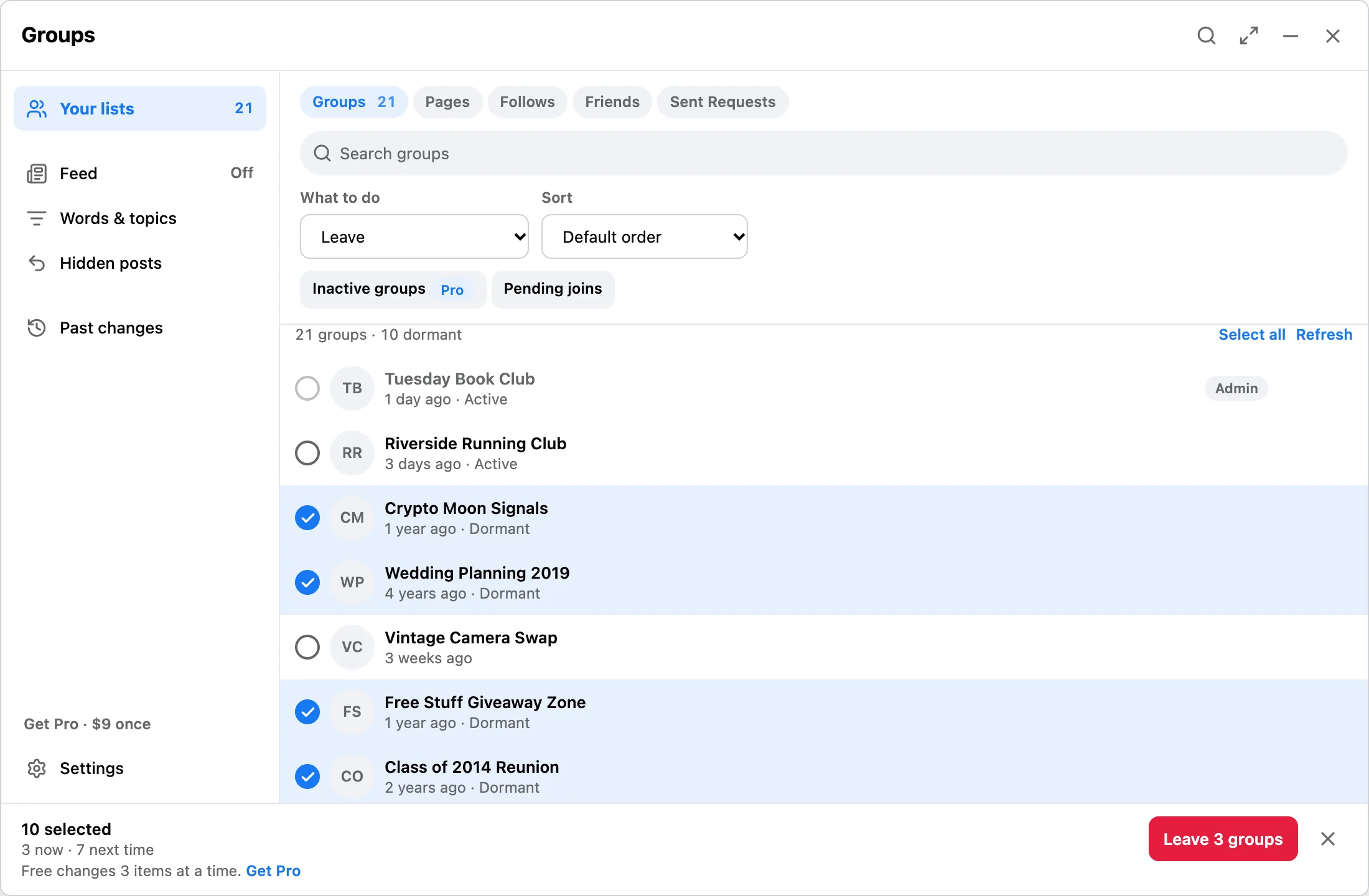
Feed Control hides ads, suggestions, Reels, and posts matching your own words or topics after Facebook loads them. It can also hide side menus, Stories, the post box, and floating chat on Facebook Home. Separately, the extension discovers available Facebook lists from pages you already open in desktop Chrome, builds a local queue, and runs only the relationship actions you select and confirm.
Not supported
It does not delete posts, comments, photos, videos, reactions, tags, or activity-log entries.
It does not delete Facebook messages, conversations, chatboxes, or Messenger history.
It does not bulk remove, ban, approve, or invite group members. It is for the user's own cleanup queues.
It does not export friend lists, score engagement, analyze inactive friends, or download Facebook data.
It does not send friend requests, follow new accounts, join new groups, invite users, or automate growth.
It is built for desktop Chrome and Facebook pages, not Instagram, mobile browsers, or native Facebook apps.
Data and safety
Facebook Reset & Feed Control does not ask for your Facebook password. Facebook list data, settings, and run receipts stay in local Chrome storage and IndexedDB on your device. Gumroad and the activation service handle payment and licenses. Optional operational diagnostics are off by default; see the product privacy page.
Feed Control hides ads, it does not block them. Ads and matching posts are removed after Facebook has already loaded them, so ad and tracking requests are unchanged. The Facebook Home cleanup hides the side menus, Stories, the post box, and floating chat in this browser only; turning Feed Control off restores all of it. Hiding a post does not unfollow or unfriend anyone.
No extension can guarantee Facebook account outcomes. Review smaller queues, avoid rushing important actions, and stop if Facebook shows unexpected warnings or page changes.
FAQ
Joined groups, liked Pages, follows, friends, and sent friend requests from visible Facebook pages.
No. It is not a post, comment, message, photo, saved-item, or activity-log deletion tool.
No. It does not bulk remove group members. Groups you administer cannot be left. Items marked Always keep stay excluded from automatic selection.
It exports local run history as JSON or CSV. It does not export full Facebook data, score friends, analyze engagement, or run friend-growth automation.
No. It works from Facebook pages already open in desktop Chrome.
Install free, scan a small queue, and use Pro only if you need larger reviewed runs, activity sort, or Pro filters.