
Open liked Pages
Use Facebook in desktop Chrome and open the surface where Facebook shows Pages you liked or follow as pages.
Facebook Pages cleanup
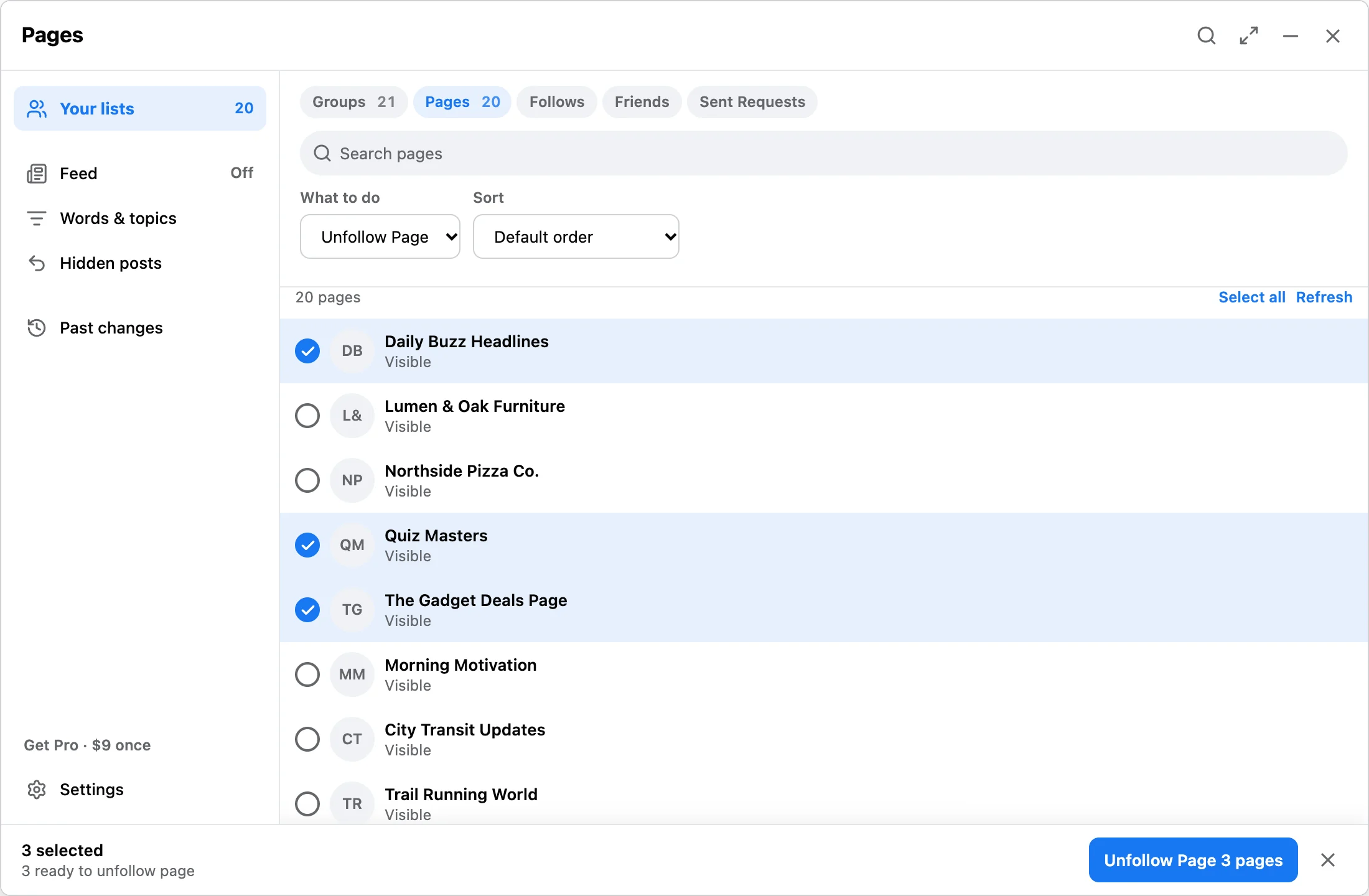
Page unlike cannot execute in this release. Old unlike records stay readable. Use Pages → Unfollow to stop following selected Pages. This does not promise to remove a historical Page like. The extension works in your existing Chrome session and does not ask for your Facebook password.
Workflow
Use Facebook in desktop Chrome and open the surface where Facebook shows Pages you liked or follow as pages.
Discover available rows, search page names, and select only Pages you want to unfollow.
Start the run with visible progress. Pause, resume, or stop if Facebook loads slowly or you need to adjust the queue.
Answer
Unfollowing Pages can reduce posts from old brands, news, events, or shops in your feed. Review first so you do not remove pages you still need for work, admin access, or saved context.
FAQ
No. You select ready Page unfollows and confirm each run. Page unlike is not available.
Page list data and receipts stay in Chrome local storage on your device.
Read cleanup best practices for groups, pages, follows, friends, and requests.
Install the extension, scan your Pages surface, and upgrade only when you need larger cleanup sessions.