
Leave selected groups
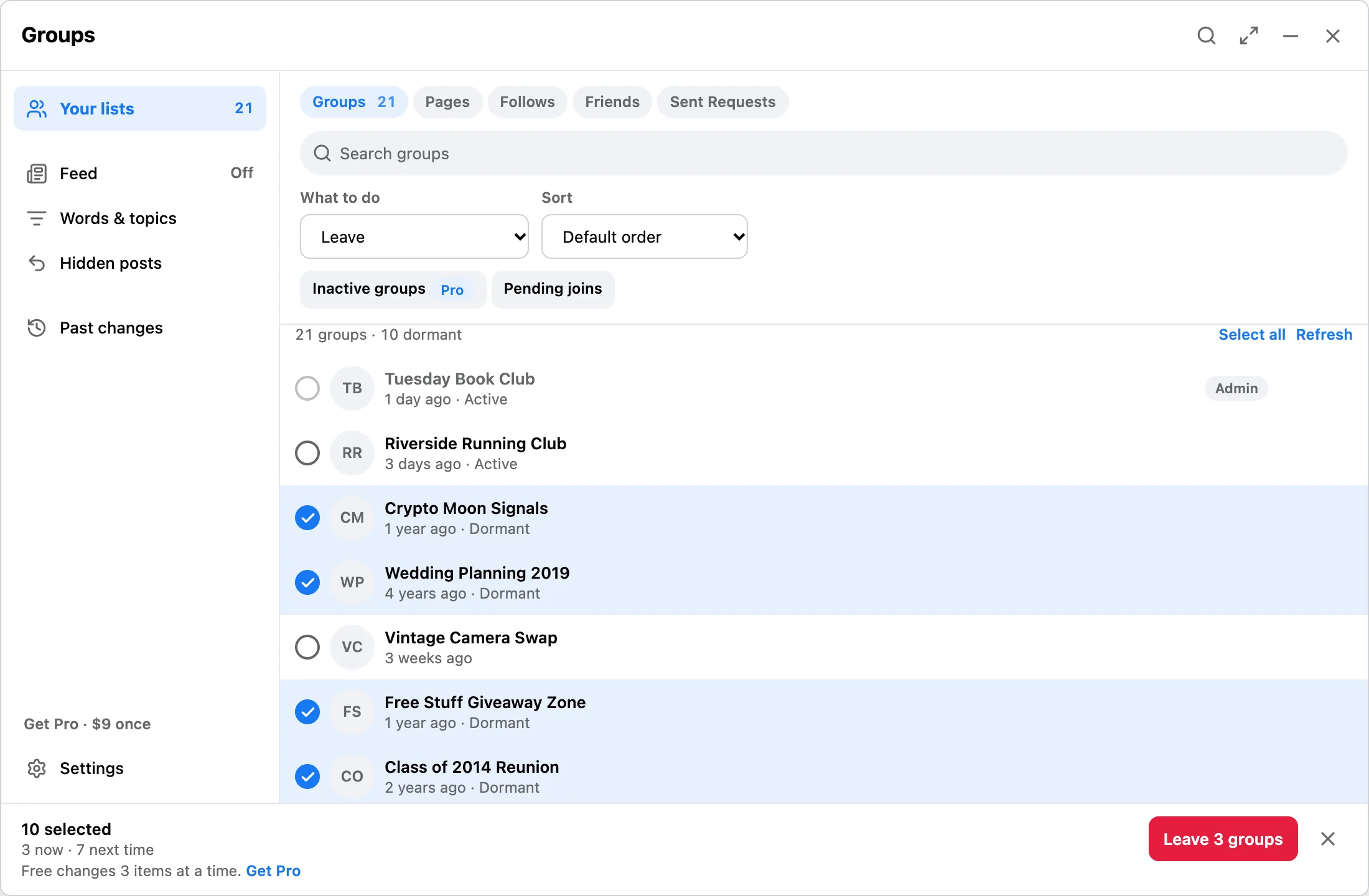
Scan joined groups, review the queue, and keep important groups excluded; groups you administer cannot be left.
Desktop Chrome cleanup
Facebook Reset & Feed Control helps you clean groups, liked pages, follows, friends, and sent friend requests from one in-tab panel. It does not ask for your Facebook password, and list data stays in Chrome storage on your device.
Workflow
Scan joined groups, review the queue, and keep important groups excluded; groups you administer cannot be left.
Review Pages and follows separately before unfollowing selected rows. Page unlike is not executable; old unlike history remains readable.
Review friends or outgoing friend requests before removing selected connections or canceling old requests.
Trust
This is a focused Facebook cleanup Chrome extension, not a growth bot or a broad social dashboard. Use it when you want to review a list, pick what changes, and watch the run with pause, resume, and stop controls.
Related
Review joined groups, keep admin groups and Always keep items out, and leave selected groups.
Clean old liked Pages with a visible local queue.
Reduce feed noise without removing friend connections.
FAQ
No. It works from Facebook pages already open in your desktop Chrome session.
No. Facebook list data, settings, and local receipts stay in Chrome storage on your device.
No. It is independent and not affiliated with, endorsed by, or sponsored by Meta or Facebook.
Review the cleanup queue first, then upgrade only if a larger Facebook cleanup session is worth it.