
Watch the feed you open
Local detectors inspect posts as Facebook loads them in the active desktop tab. Uncertain posts stay visible.
Facebook Feed Control for desktop Chrome
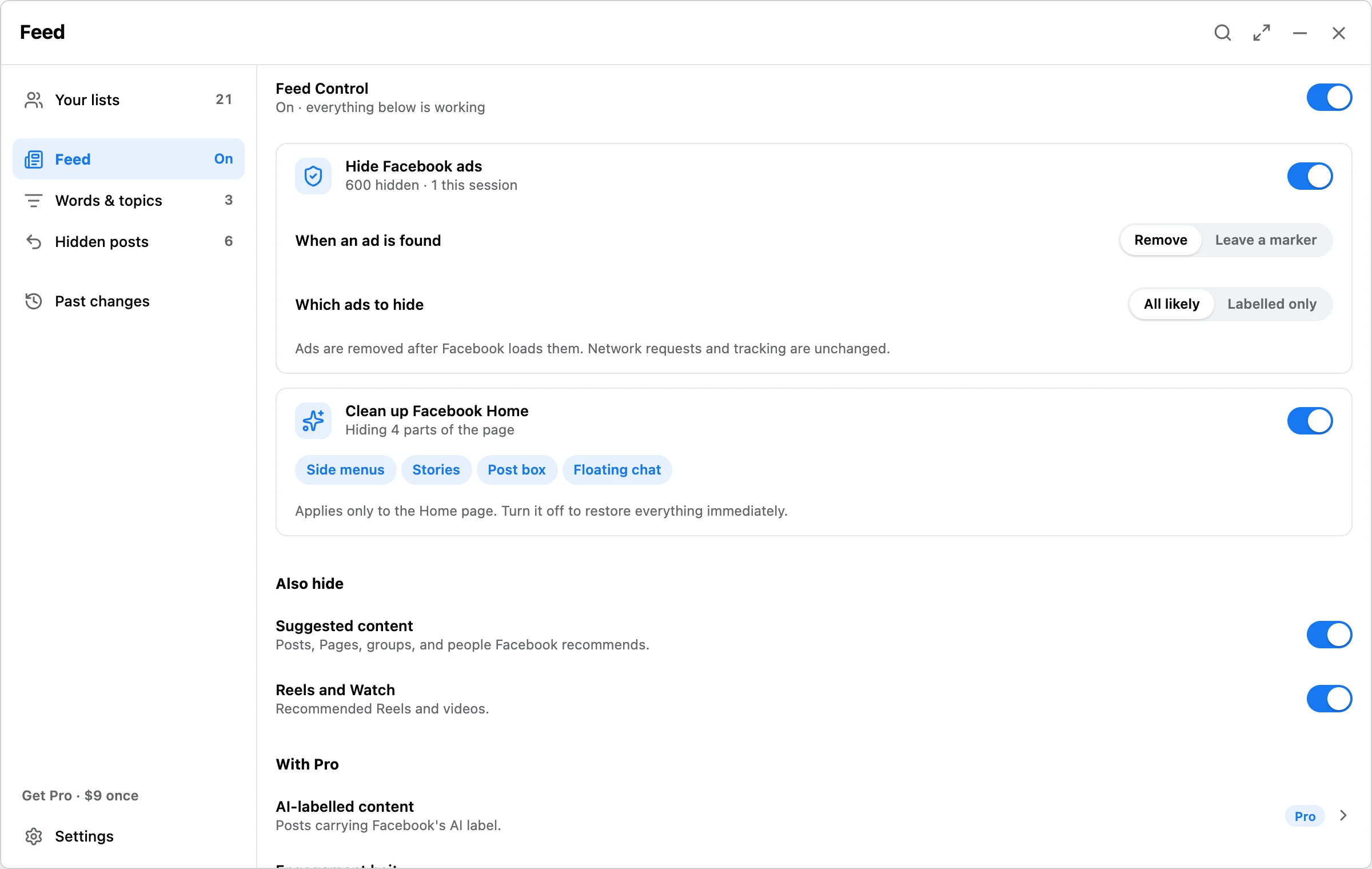
Facebook Reset & Feed Control hides selected kinds of feed content locally after Facebook loads them. Ads, suggested posts, and Reels go first, and the Facebook Home page can lose its side menus, Stories, post box, and floating chat. Add your own words and topics when you want tighter control.
Answer
Local detectors inspect posts as Facebook loads them in the active desktop tab. Uncertain posts stay visible.
A small placeholder records why a post was hidden and provides a Show once control.
Hidden posts lists what was hidden and why, plus local mutes, so you can reveal a post or remove a mute.
Filters
Hiding Facebook ads is free and has no limit. So is the free starter set of Suggested for you and Reels and Watch, and you can add suggested Page, suggested group, and People You May Know filters at no cost. Pro adds filters for AI-labelled content, engagement bait, duplicates, repeated reshares, and Comment Shield.
Ads
Detected ads are hidden in the Feed, down the side, and in the Reels strip. Choose whether an ad is removed outright or replaced with a small marker, and whether to match all likely ads or only the ones Facebook labels. A local advertiser block list keeps matching ads out of this browser.
The Facebook Home page can lose the parts you never read: the side menus, Stories, the post box, and floating chat. Turn Feed Control off and all of it comes back immediately.
Both are free and have no limit. Ads are hidden after Facebook has already loaded them, so ad and tracking requests still happen. Matching topics by meaning is a Pro option and depends on supported local Chrome model availability; it does not send post text to a remote model.
Setup
Add Facebook Reset & Feed Control from the Chrome Web Store. It does not ask for a Facebook password.
Use the Facebook account already signed in to Chrome, then open the extension panel.
Turn Feed Control on, then choose which ads, suggestions, and Home page parts to hide, and add your own words and topics.
Scroll normally. Review placeholders in the feed and open Hidden posts when you want to show an item again.
FAQ
Yes. Matching suggested posts are hidden after Facebook loads them, with a local Show once placeholder.
No. Feed Control does not unfollow, unfriend, or alter a Facebook relationship.
It hides ads, it does not block them. Ads are removed after Facebook has already loaded them, so Facebook network requests and Meta tracking are unchanged.
Free supports local word, phrase, hashtag, domain, source, and topic filters, running 3 at a time. Pro runs every saved filter, adds Comment Shield, and can match topics by meaning when supported local Chrome features are available.
Yes. Use Show once on the placeholder, or review hidden posts and local mutes under Hidden posts.
Feed rules and hidden-post records stay local. Optional diagnostics exclude Facebook content, names, identifiers, rules, URLs, and raw history.
Hide ads, suggested posts, and Reels locally, and tidy the Home page, all free. Upgrade only if the extra filters or running more than three of your own are useful to you.